The Siderise Inspection App
Capture, review and evidence installations with the new Siderise® Inspection App.
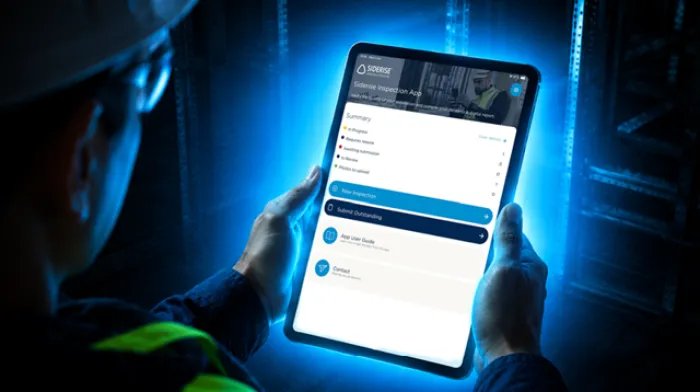
The Siderise Inspection App gives construction teams a smarter, more accessible way to record, review, and evidence correct installation of Siderise firestop, cavity barrier, and acoustic barrier systems. It helps you maintain high workmanship standards, demonstrate compliance and resolve issues before the works are concealed or become costly to remediate.
The Siderise Inspection App complements our broader site services and gives users quick access to additional Siderise resources and support. It’s free to download, works both online and offline and is suitable for a wide range of construction projects.
Helping you Go Beyond
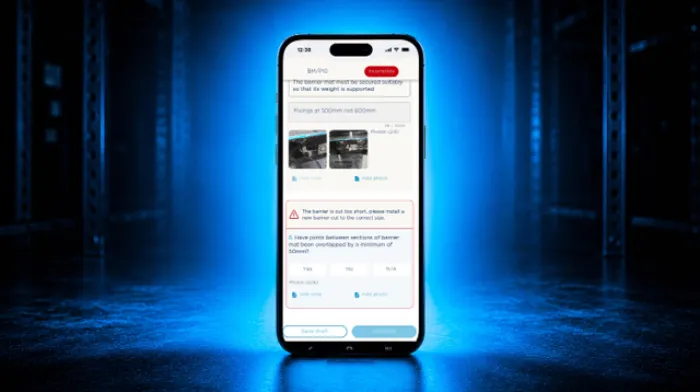
Built for practicality and ease of use, the app guides users through a structured inspection process using intuitive questions and data input fields. You can capture installation details, take photos directly on your smartphone or tablet, and generate clear, comprehensive reports that you can share with the wider project team. This contributes to a robust audit trail that regulators and stakeholders can rely on.
Our expertise, at your fingertips
When you use the Siderise Inspection App, you’re not working alone. Behind every inspection is the backing of our experienced technical team
Every submission is reviewed by real experts who understand the details that matter, helping to support accuracy, consistency, and confidence at every stage.
No guesswork. Just trusted expertise, exactly when you need it.
Traceability when it matters most
At the end of each inspection, the app generates a full record of your responses and images- exactly what’s needed for compliance with Building Safety Act Gateway 3 submissions. The Siderise Technical team will then review your submitted reports, to confirm whether installations meet our recommendations and to identify any areas that may require remedial action. This early visibility helps prevent errors from being ‘built in’, reducing delays, disputes, and unnecessary costs.
As part of the Construction to Operations Handover (COO Handover), the inspection reports provide a digital record of exactly what measures have been used in the building and where and how they were installed - supporting better building management throughout the asset lifecycle and enabling safe occupation by future users.
Download the app now


Key benefits
Auditable inspection records to demonstrate compliance
Supports QA of Sideise product installation
Helps identify issues to avoid reworks and disputes
Unrivaled Gateway 3 support
Maintains data legacy through secure, structured reporting

Dedicated support team on hand to assist with queries
FAQs
Find answers to some of the most frequently asked questions
You can download the Siderise Inspection app from Google Play Store or Apple App Store. Search for 'Siderise' and follow the on-screen steps to install.
As a guide, we recommend submitting one or two reports per floor, unless there are significant changes or specific issues that need to be recorded.
Note reports will be deleted from the app if not submitted within the relevant time frame.
Yes, you can edit a report as many times as needed before submitting it. You can save your progress and return later to make updates.
Once a report has been submitted, it cannot be edited.
If any changes are required, the report will be returned to you with feedback so you can make the necessary updates and resubmit.
You will receive an email notification confirming that we have received your report for review.
If your report is rejected:
You’ll receive feedback highlighting what needs to be updated.
Open the returned report in the app.
Make the required changes.
Resubmit once complete.
We aim to review and return reports within three working days, provided they are submitted before 12pm (midday). Note that timelines may vary depending on project location and time zone.
You’ll receive your report via an email link, as well as directly within the app. Once downloaded, you can save it locally and share it with relevant stakeholders.
The report will be marked as void and cannot be used.
You will need to complete and submit a new report with the correct product selected.
Previous reports will not be carried over on to the new app. You will have received all reports via email, however if you require additional copies, or have any other questions relating to previous reports, please reach out to app.[email protected] and include your report reference number.
Want to find out more about our Inspection App?
Read our dedicated blog on how it can help you support better building safety.
View documents
Contact us
We're here to help you
Call for our main switchboard
Email us for technical enquiries
Email us for site support
Complete the form for the right response